Cut, composite, animate and finish in one window.
Grapple puts the tools of an editing app, a compositor and a motion design app on one Timeline. A shot goes from rough cut to tracked, animated and graded without leaving the project, and every tool makes something you can open and change later.
Cut picture, sound and words.
If you cut interviews, social videos or music posts, the Timeline has the editing tools you expect, and the transcript and the beats are right there beside your clips.
Ripple, roll, slip and slide
Insert or overwrite as you place a clip. Trim it and close the gap, move a cut between two clips, change which part of a clip plays, or slide it between its neighbours.
Transitions that follow the cut
Dissolves, dips to colour and wipes on picture, crossfades on sound. A transition stays on its cut through every roll, ripple and slide.
Transcripts and captions
Transcribe an interview and every word appears on the Timeline where it was said. Captions linked to the transcript pick up each correction.
On the beat
Add markers from a track’s beats, onsets or sections, and anchor keys and clips to them. Drag a marker and everything on it moves too.
Fades, gain and pan
Drag fades from clip edges, and key gain and pan over time, so a whoosh can sweep across the frame with the move.
One title, many uses
Build a title once and publish its text, colours and timing as inputs. Each copy takes its own values, and changing the original updates them all.
Composite and fix shots.
Click a subject to cut it out, track a sign and put your logo on it, or solve the camera from the footage and place a title in the room.
Roto with a click
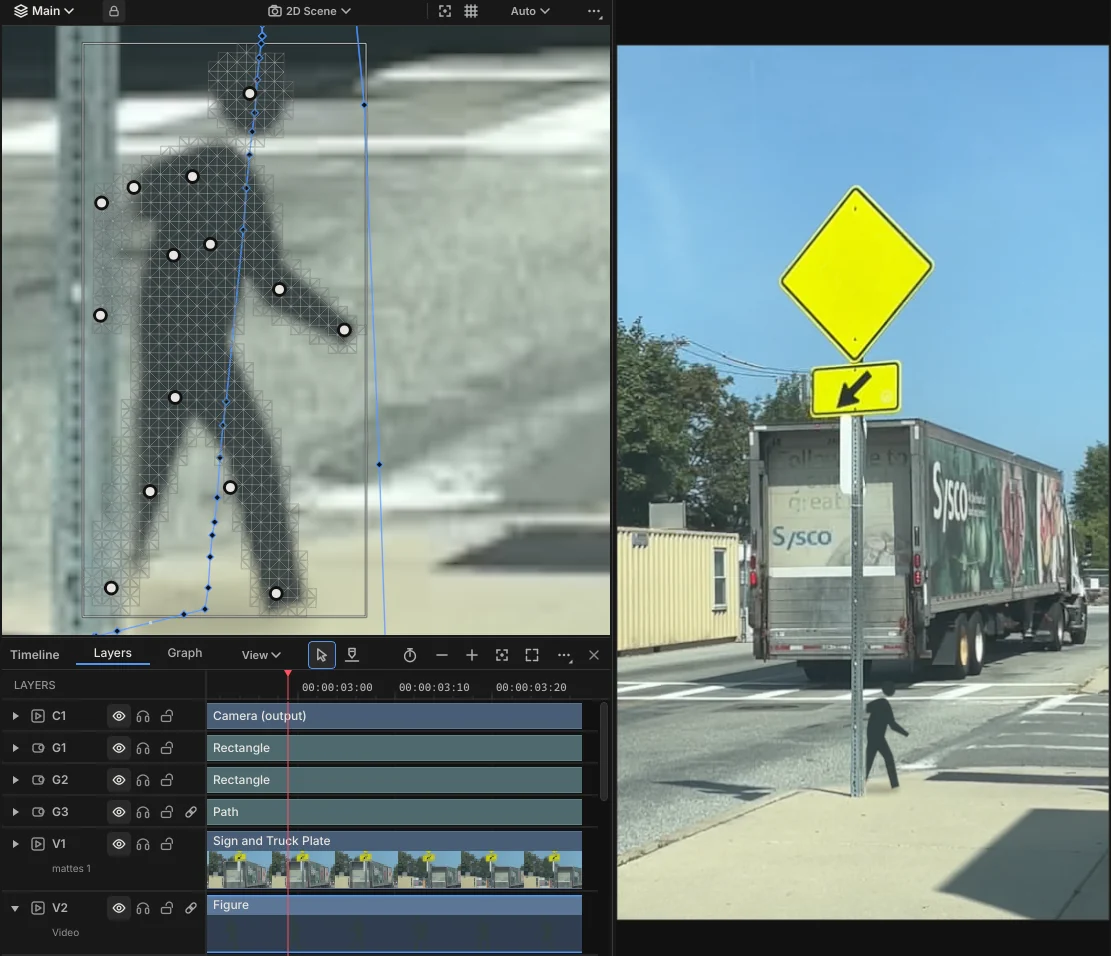
Subject Select cuts out a person or an object from a click or a box, Refine Edge rebuilds hair and soft edges, and the matte follows them through the shot.
Track and attach
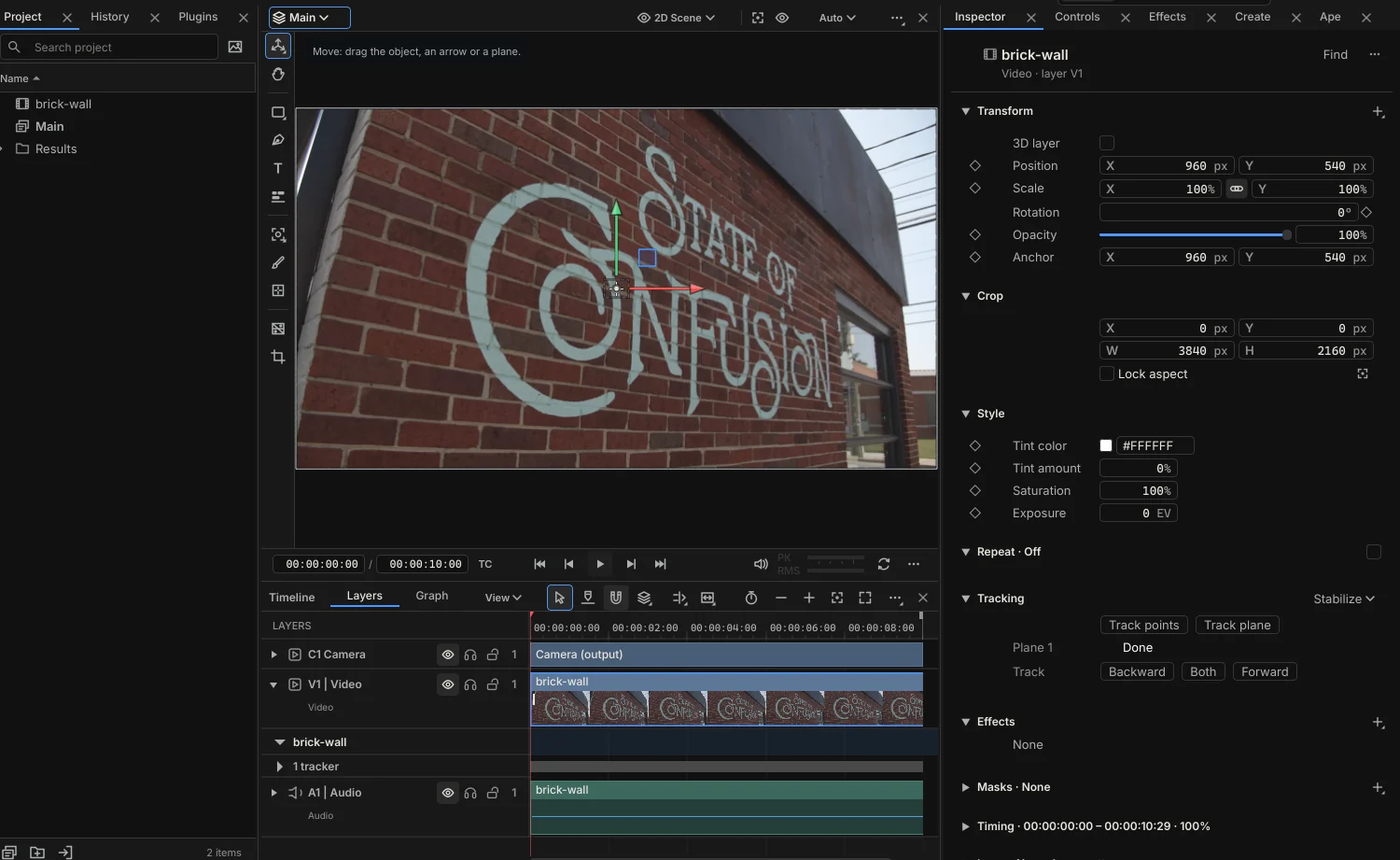
Track a point or a plane, then attach a layer to it. One point moves the layer, two add rotation and scale, and a plane warps it onto the surface. Stabilise steadies a shot on one of its trackers.
Solve the camera
Solve camera finds its own features and works out the camera’s move in the background. Then work through the solved camera, and what you draw goes onto the surface under the pointer.
Keys, mattes and depth
A Keyer for green and blue screen with spill suppression, matte effects to combine and refine, and a Depth Map effect that estimates distance in any shot.
Fix the frames it gets wrong.
Roto, tracking and transcripts do the first pass for you, and you finish it with ordinary tools, right where it happens. Paint a matte solid or clear where it slips, drag a tracker back onto its sign, or slide a word to the moment it was said.
The first pass stays underneath your corrections, so you can turn any of them off, and tracking again never overwrites a frame you fixed.
Animate characters and graphics.
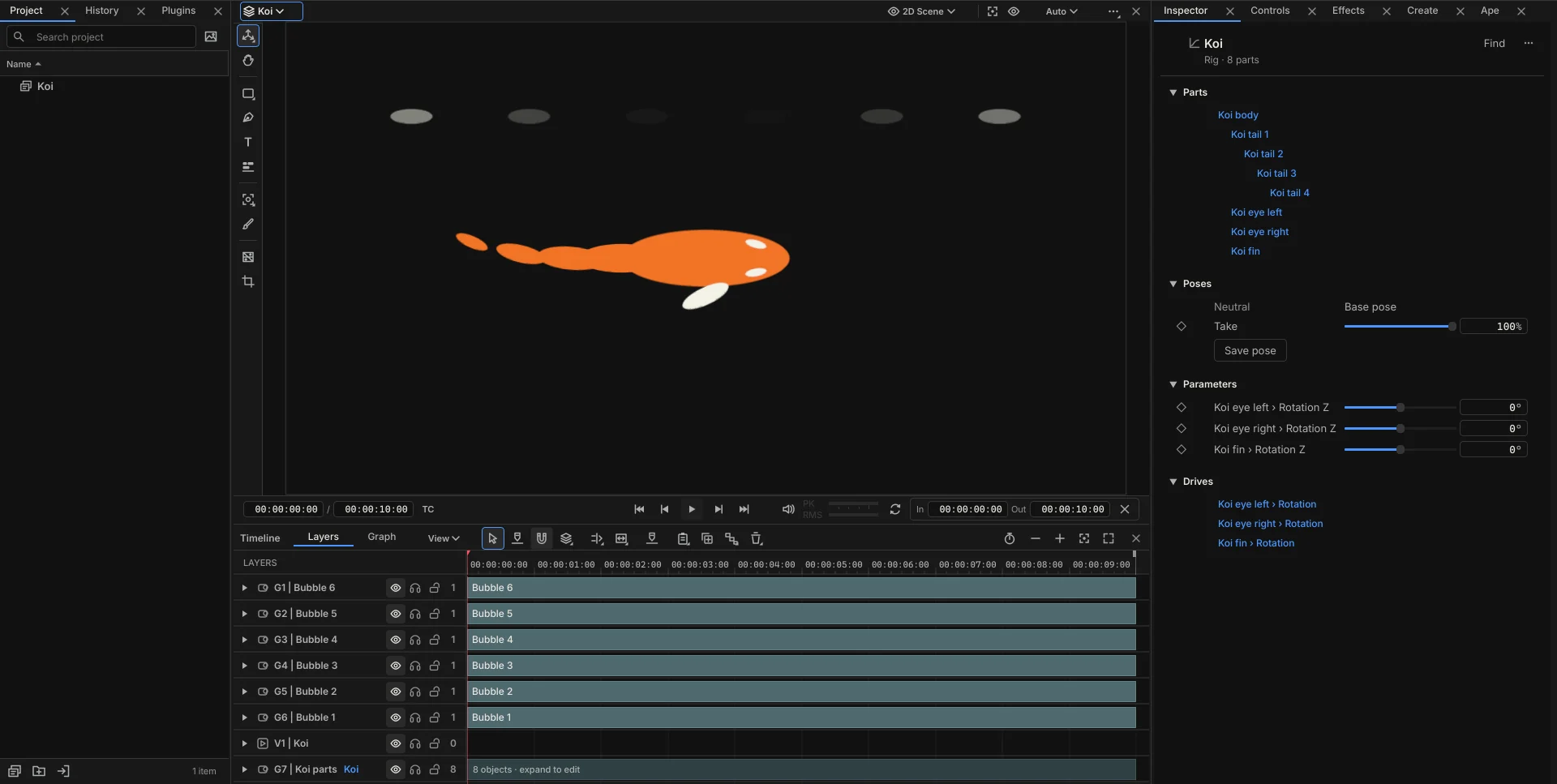
If you animate a mascot, a character or a product, rig it once and pose it for every shot. It all stays live, so reshaping a path or a rig later changes the motion with it.
Follow a path
Draw a Path with the Pen and make anything follow it: a layer, a camera, a light, or a line of text with each letter on the curve. A whole flight is two or three keys.
Chains that trail behind
Select layers in order and choose Make chain. Each one traces the leader’s path, like carriages behind an engine or the segments of a dragon.
Bend a drawing with pins
Give a picture a mesh with the Puppet tool and place pins on it. Drag a pin to bend it, and Preserve region keeps a face stiff while an arm swings.
Rigs, poses and IK
Select a character’s parts and choose Assemble rig. Save poses and blend them with a weight you can key, and give a limb IK so it follows its hand.
Motion that drives itself
Drive any property with a Wave, a Spring, a Link to another value, or the loudness of a music track, and tune it while it plays.
Titles that move
Animate text by letter, word or line, starting from Fade, Rise, Drop, Pop, Slide, Spin or Typewriter, and adjust the timing on a strip.
Work in 3D, with your footage.
3D layers, cameras and lights sit in the same composition as your footage and your flat titles, and a solved camera puts them in the shot.
Cameras
Set a focal length, aim the camera at a target or orbit it round one, and key it like anything else.
Lights
Light the scene with ambient, directional and point lights, and let layers cast and catch shadows.
Extruded type and shapes
Give text and shapes depth, bevels and materials, for a title that turns in space.
Grade it and deliver it.
Grade has Lift, Gamma and Gain wheels, curves for each channel and against hue, and any LUT OpenColorIO can read. Log footage from your camera converts properly before anything else touches it.
Scopes reads the frame as a Histogram, Waveform, RGB parade or Vectorscope while you work. Then export H.264 for the web, HEVC for smaller files, HDR in PQ or HLG, or ProRes 4444 with transparency for an overlay, and the Viewer, Ape and the export all draw the same picture.

Shape it to how you work.
The editor is complete on its own. When you want more, these are the ways to grow it.
Bring your next edit into Grapple.
Grapple is a one-time payment of $99. Buy it during the public preview and it’s 50% off: $49.50.